
Tutorial
How to use the Kabak apps
Step-by-step guides with real screens from Kabak C, the customer app, and Kabak T, the tailor app. Choose your app, then the task you want to do.
Choose your app
Sign in with your phone
No password needed. Kabak C sends a one-time code to your Saudi mobile number.
Kabak C · 3 steps
Step 1
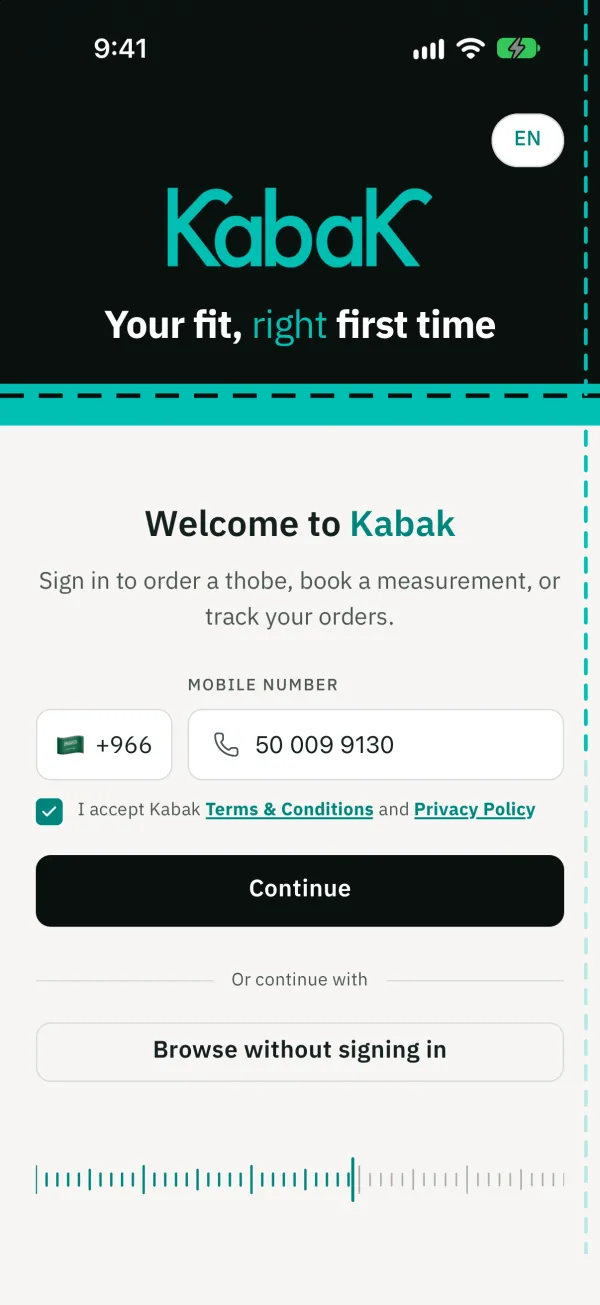
Enter your mobile number
Type your number after +966, accept the terms, then tap Continue.
Step 2
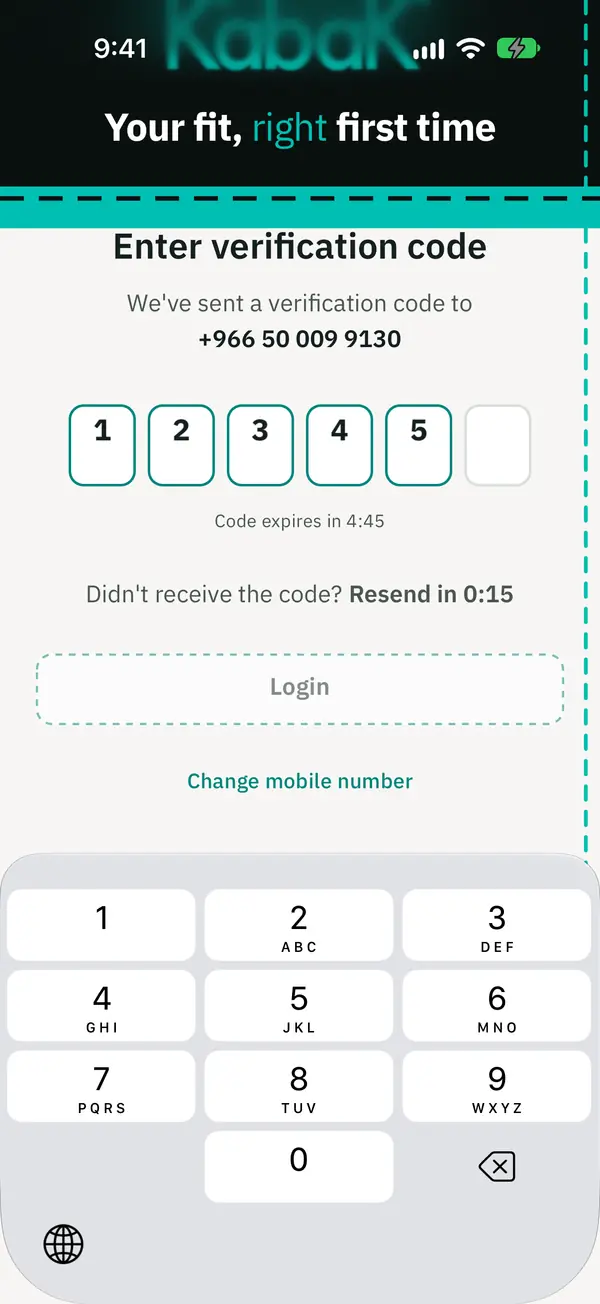
Enter the code
Type the 6-digit code from the SMS. It is valid for 5 minutes, and you can ask for a new one.
Step 3
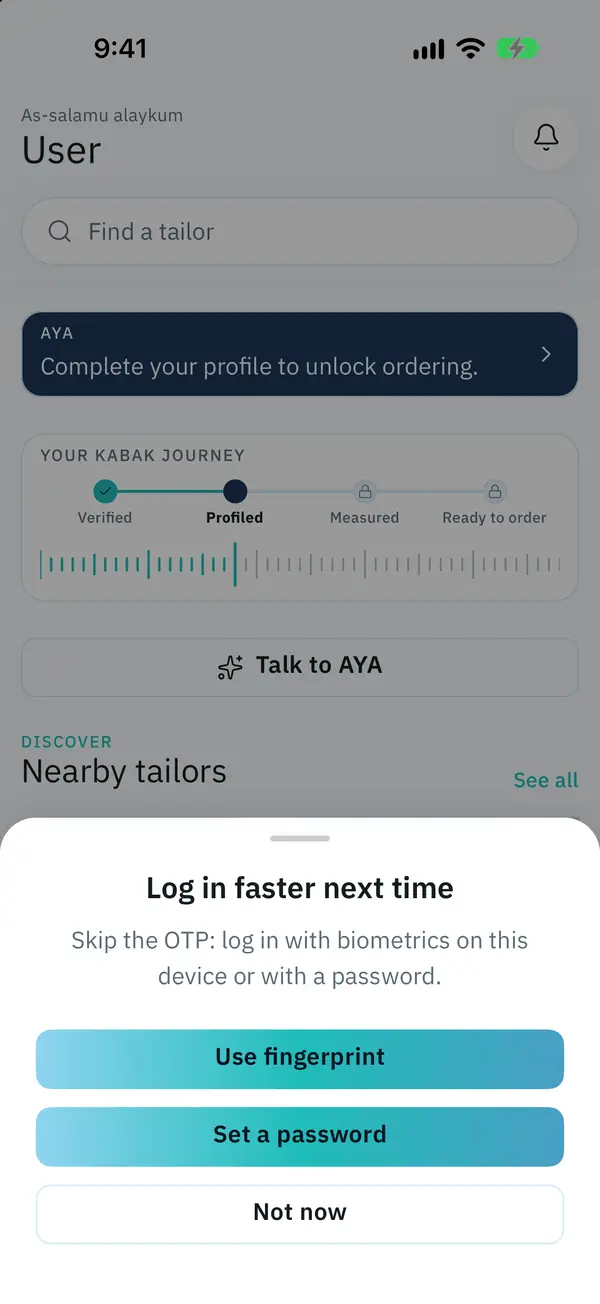
Sign in faster next time
Turn on fingerprint or Face ID, or set a password. You can also tap Not now and do it later.
Find a tailor
Search by name, narrow the list with filters, and open a profile to see prices, fabrics and reviews.
Kabak C · 4 steps
Step 1
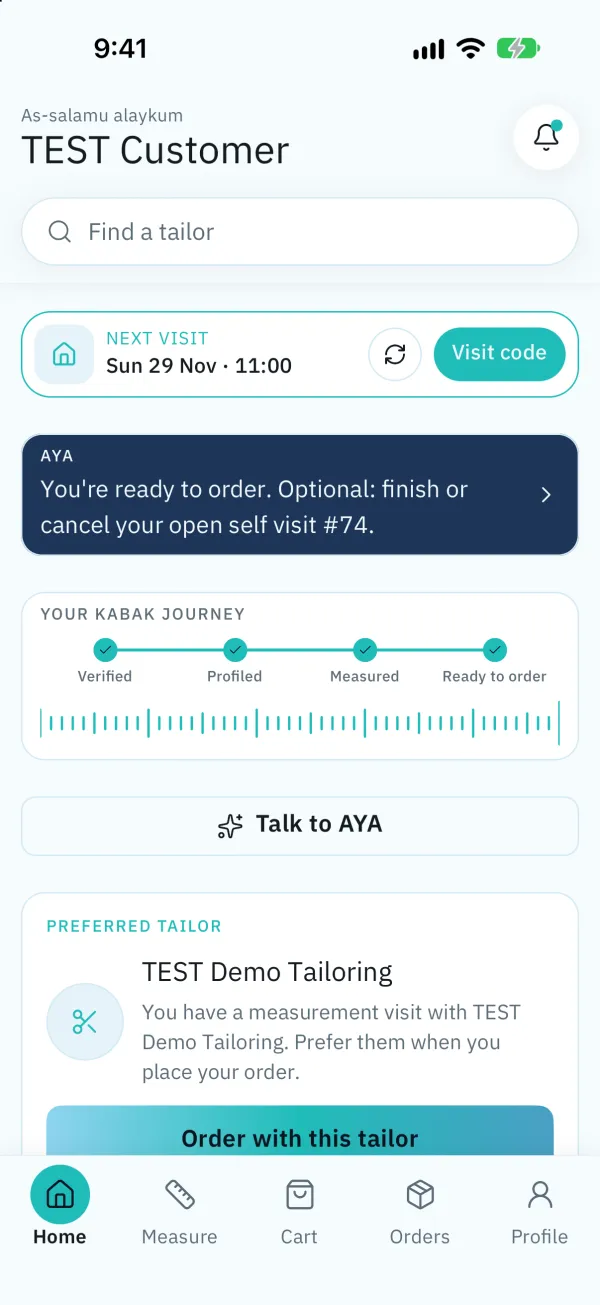
Start from Home
Tap Find a tailor at the top of Home, or browse the tailors near you.
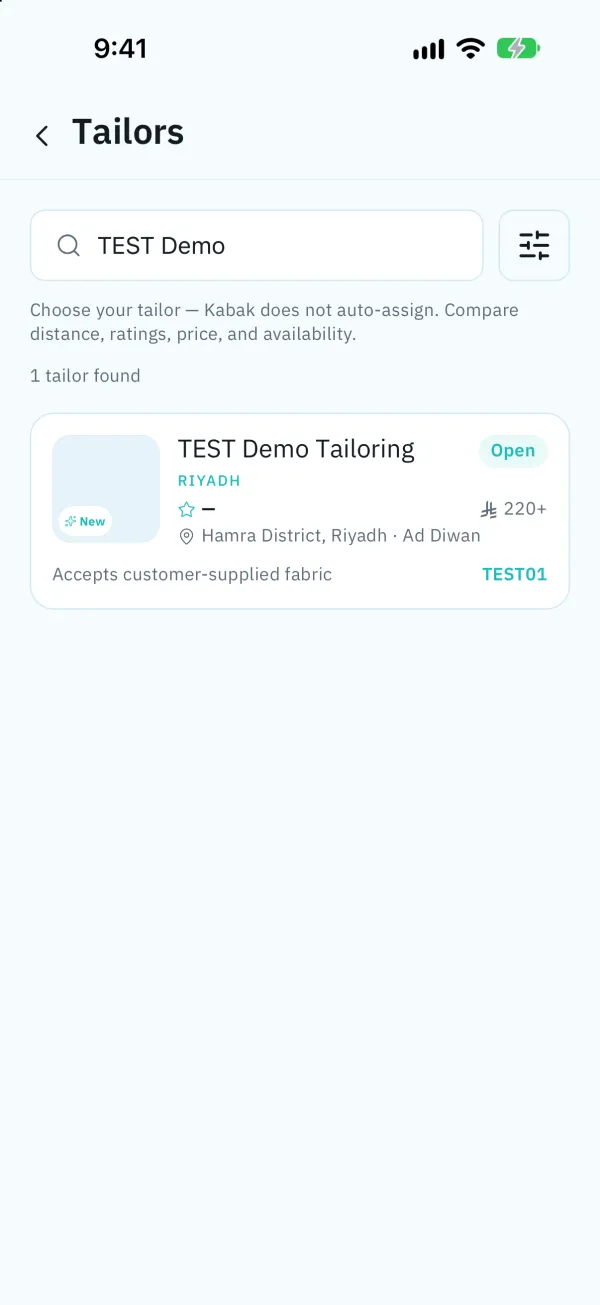
Step 2
Search and compare
Each result shows the city, the price range and whether the tailor is taking orders.
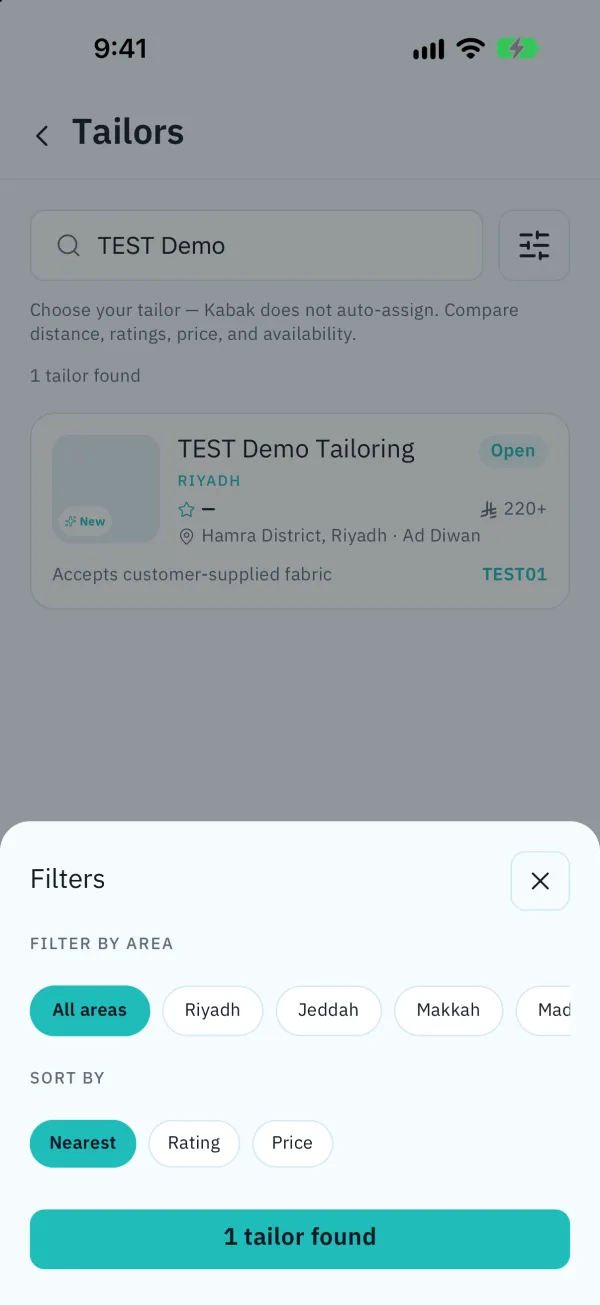
Step 3
Use filters
Filter by city, price and other options to reach the right tailor faster.
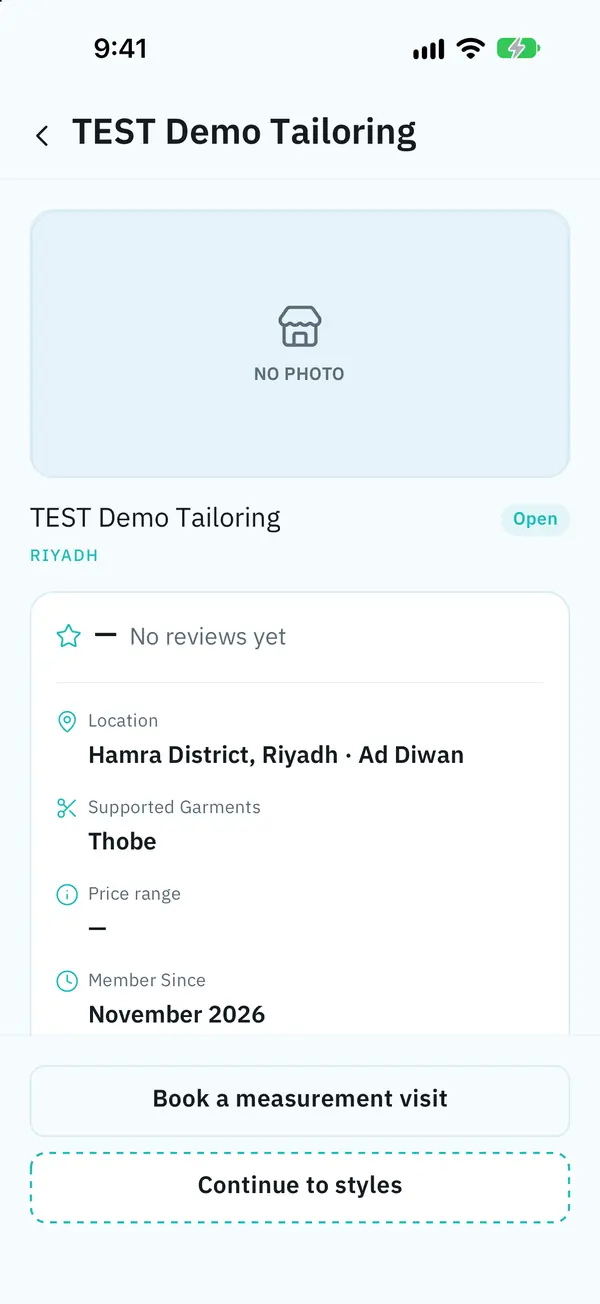
Step 4
Open the tailor's profile
See thobe styles, fabrics, delivery options and reviews before you decide.
Book a home measurement visit
The tailor comes to your home to take your measurements. You choose the address, the day and the time.
Kabak C · 3 steps
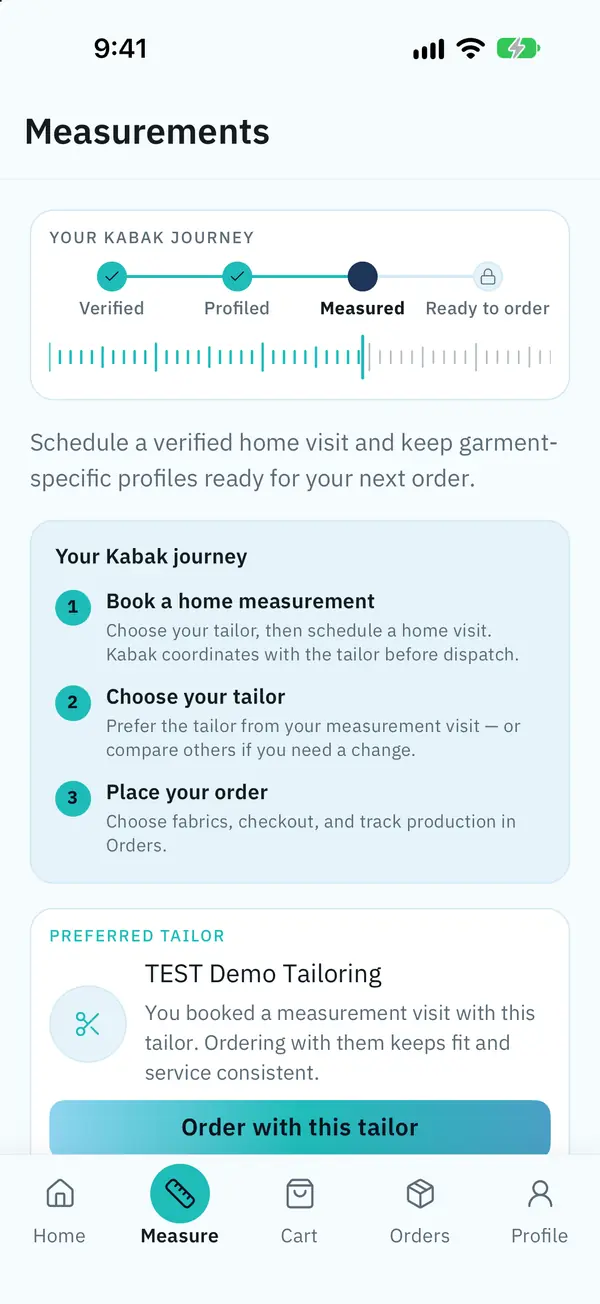
Step 1
Open Measurements
Go to the Measurements tab and tap Book Measurement.
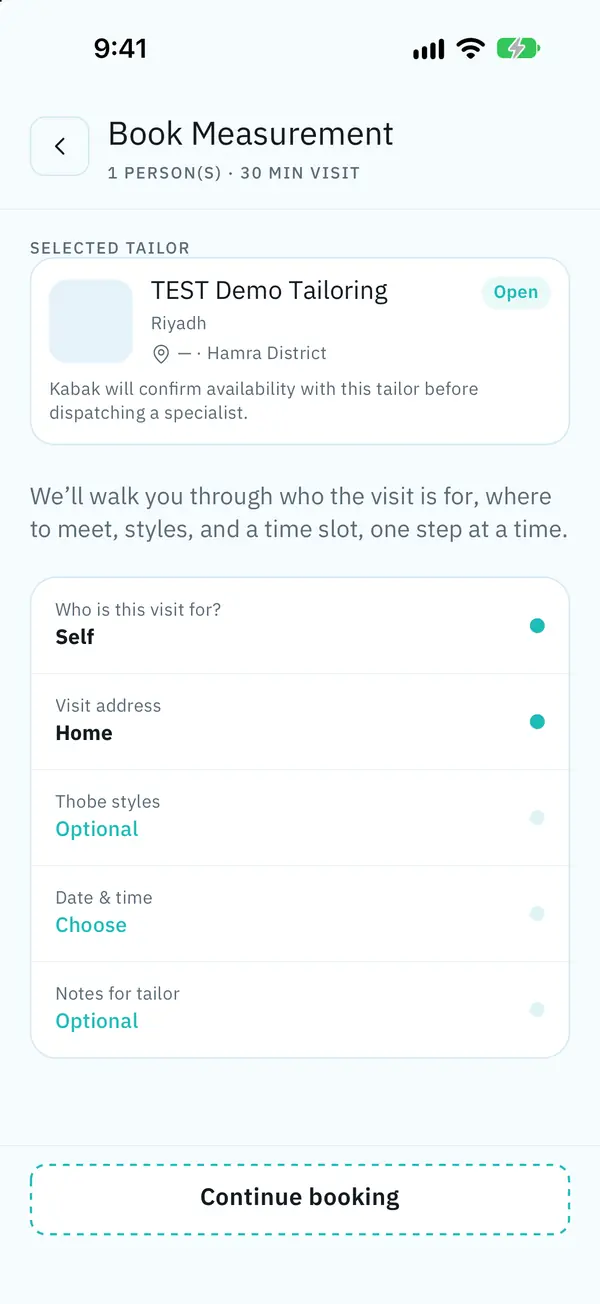
Step 2
Choose who, where and when
Pick the tailor, the person to be measured and your address, then a day and a time slot.
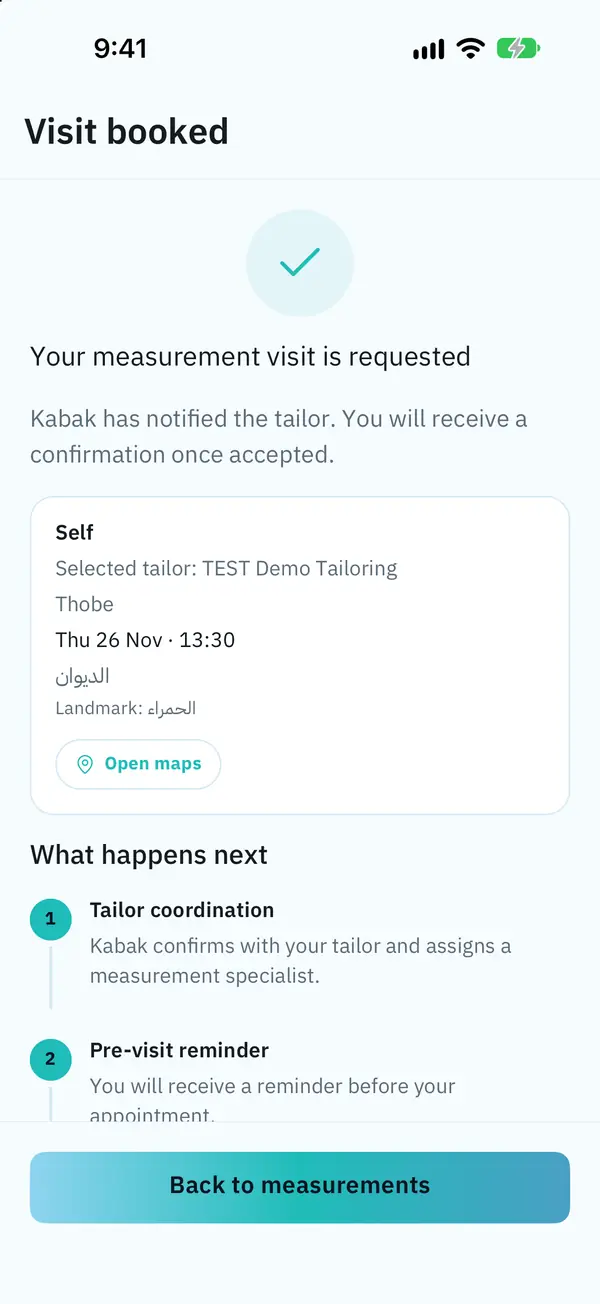
Step 3
Confirm your visit
Tap Confirm. Your upcoming visit then shows on Home with its date and time.
At the visit
A short code confirms that the tailor at your door is really yours. Your measurements are then saved to your account.
Kabak C · 3 steps
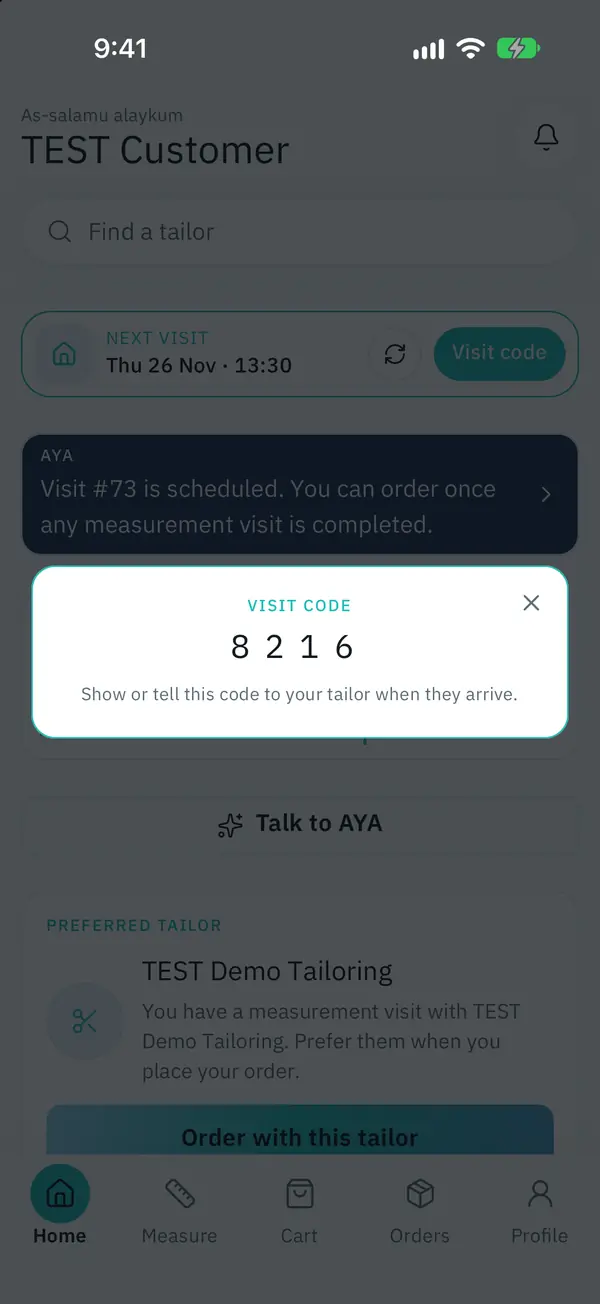
Step 1
Share your visit code
Tap Visit code on Home, then show or tell the code to your tailor when they arrive.
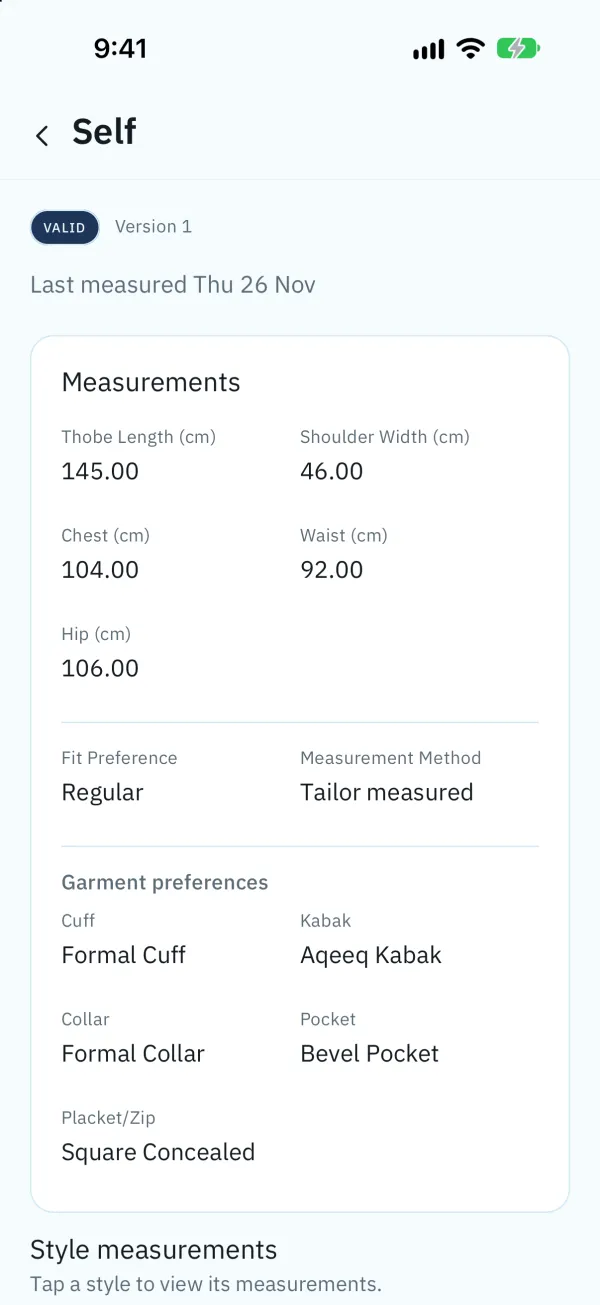
Step 2
Your measurements are saved
After the visit, your measurements are kept in Measurement profiles, ready for your next order.
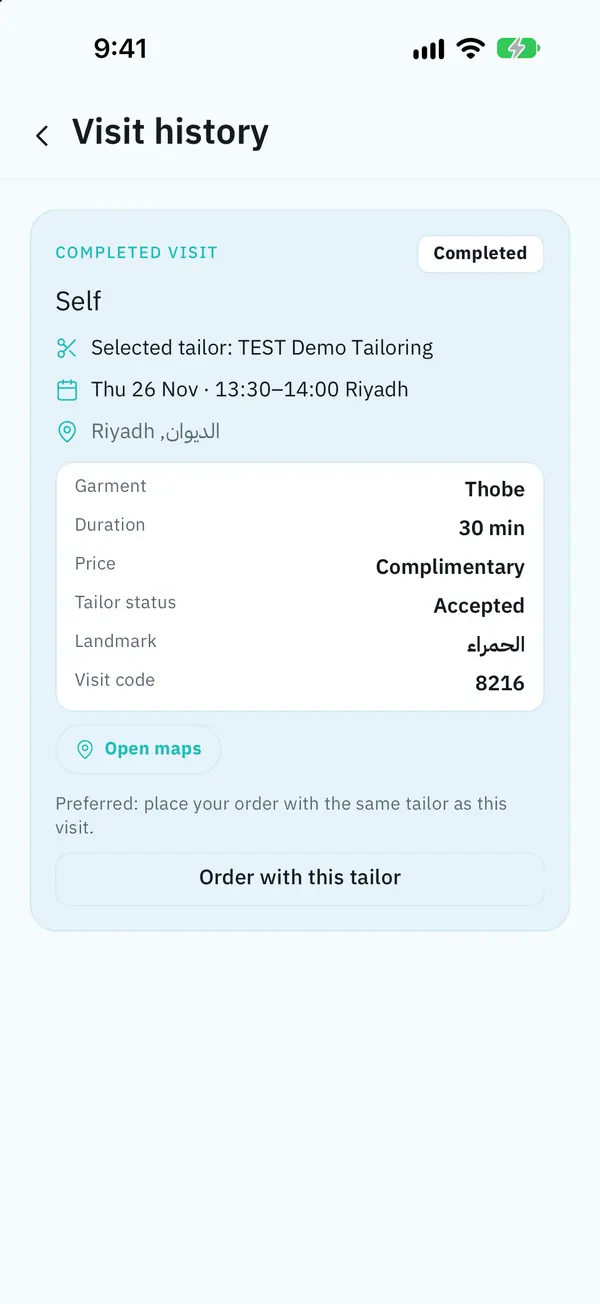
Step 3
See past visits
Visit history lists every visit with its tailor, date and status.
Order a thobe
Choose a style and a fabric from your tailor's catalog, add it to your cart and check out.
Kabak C · 5 steps
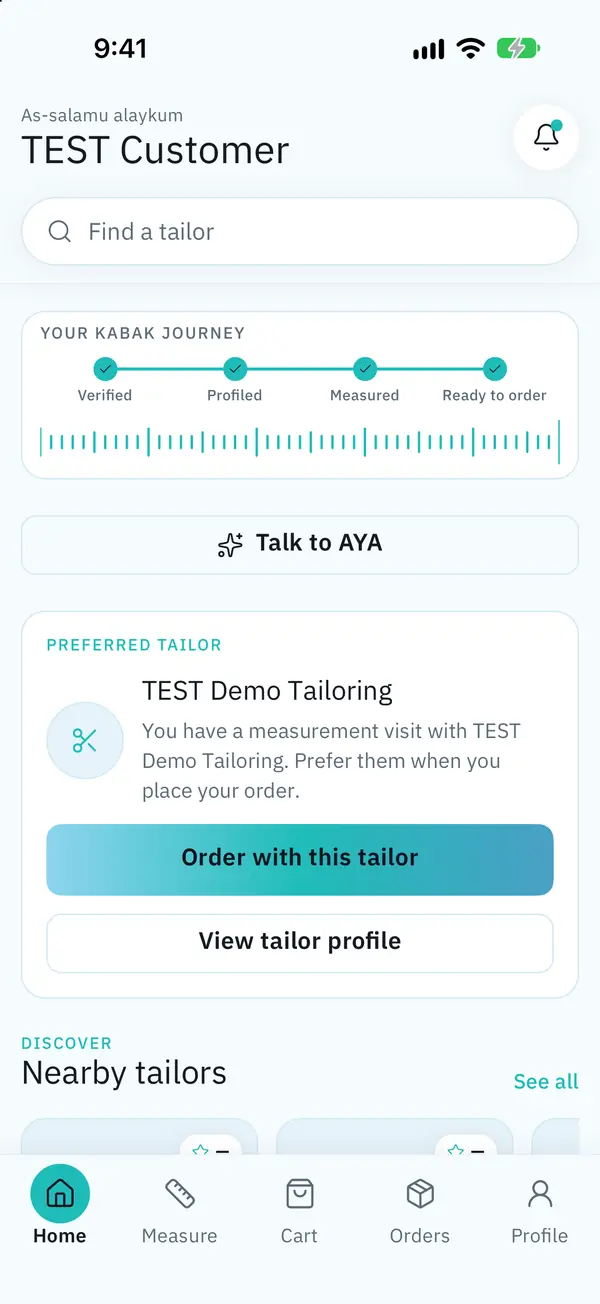
Step 1
Order with your tailor
On Home or on the tailor's profile, tap Order with this tailor.
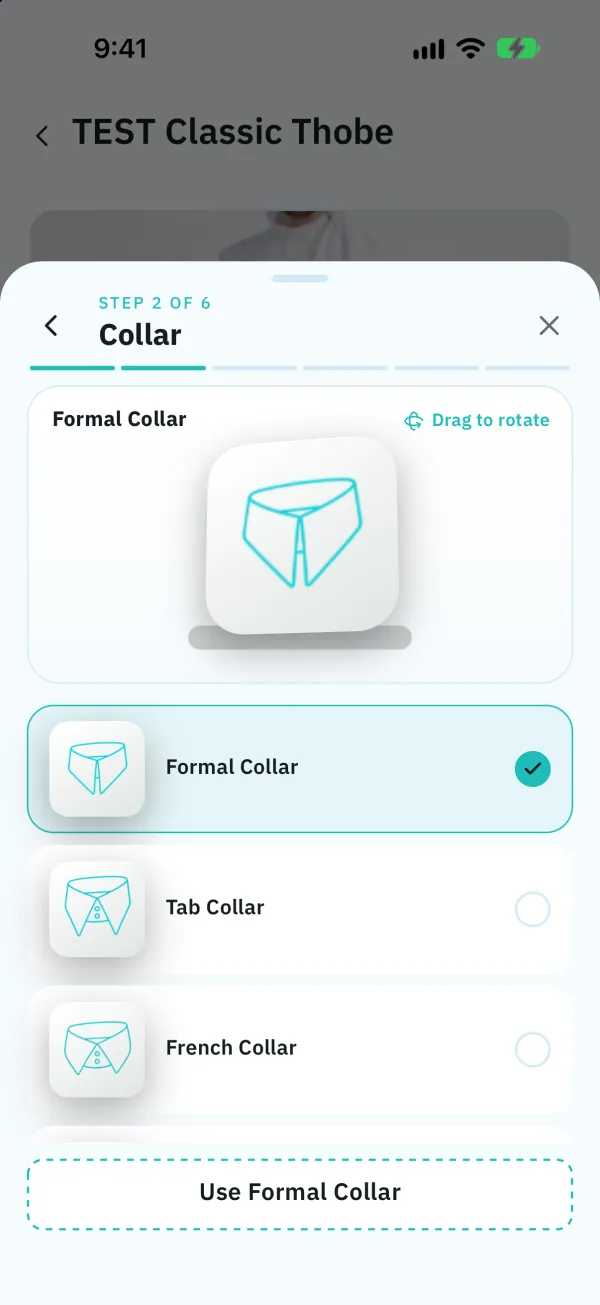
Step 2
Pick a thobe style
Choose the style, then the collar, cuffs and other style options.
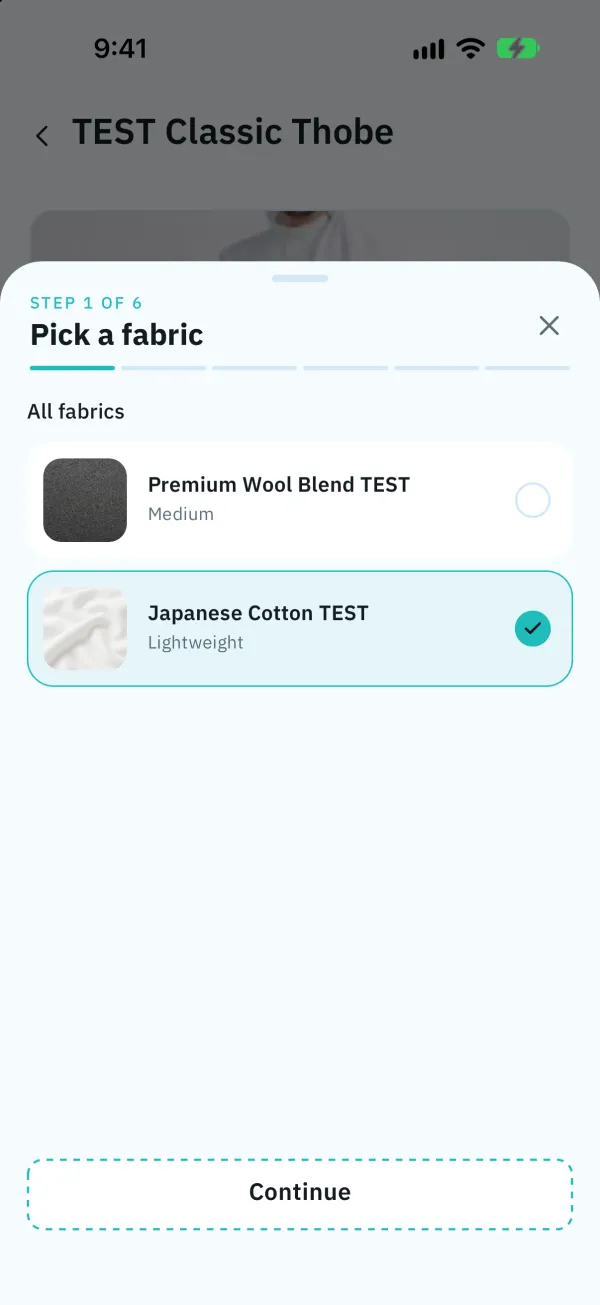
Step 3
Choose the fabric
Pick one of the tailor's fabrics. The price updates as you choose.
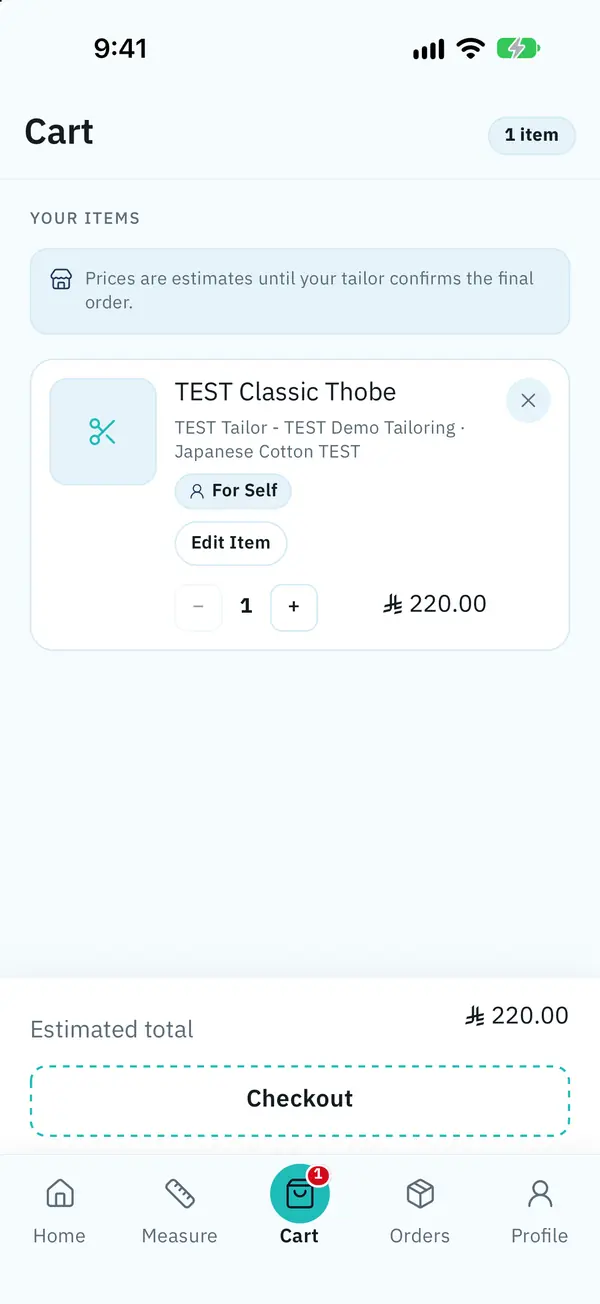
Step 4
Review your cart
Check the items, the quantity and who each thobe is for, then tap Checkout.
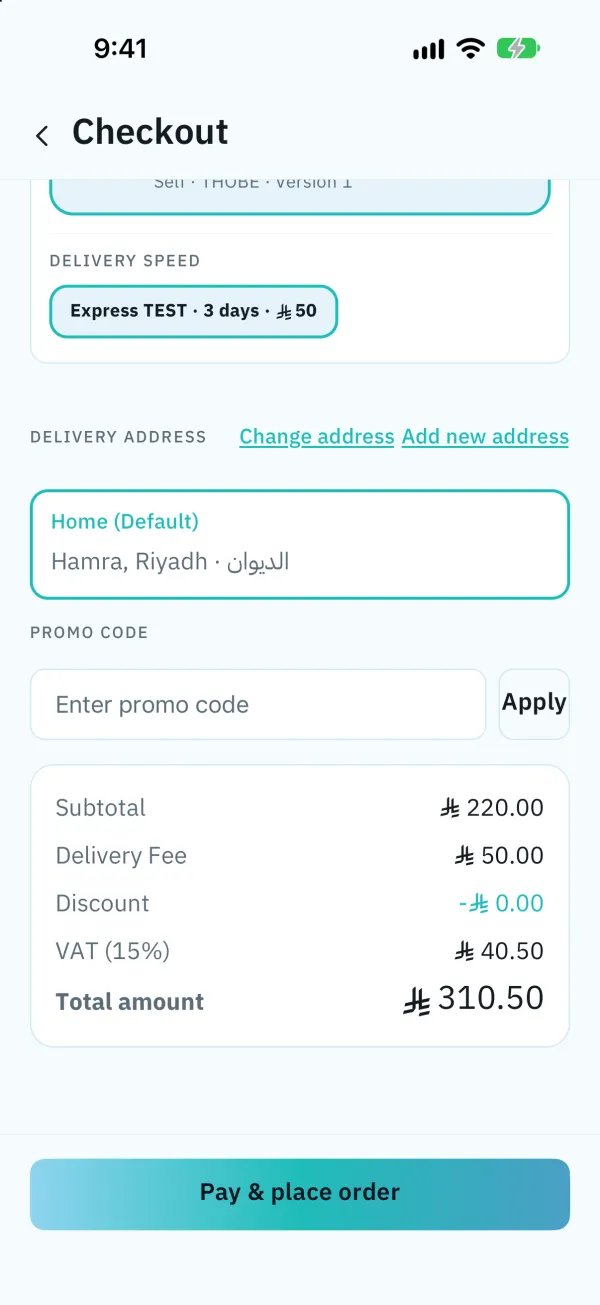
Step 5
Check out
Choose how you want to receive the order and the address, add a promo code if you have one, then pay.
Track your order
Follow your thobe from the tailor's confirmation all the way to delivery.
Kabak C · 3 steps
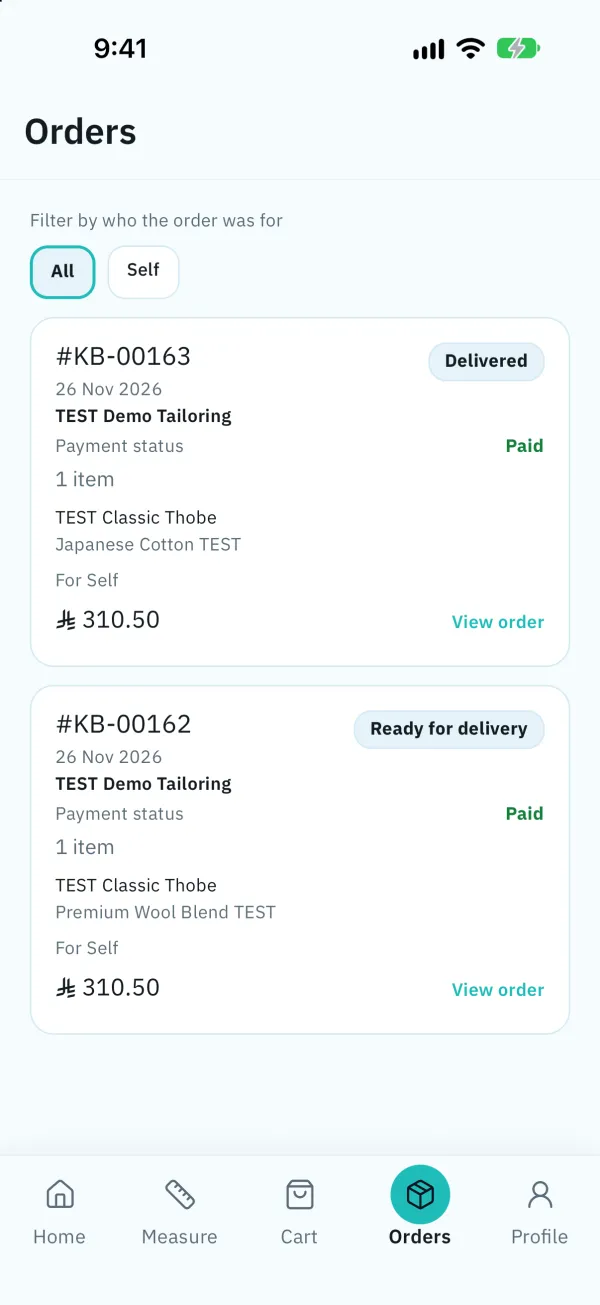
Step 1
Open Orders
The Orders tab lists all your orders with the current status of each.
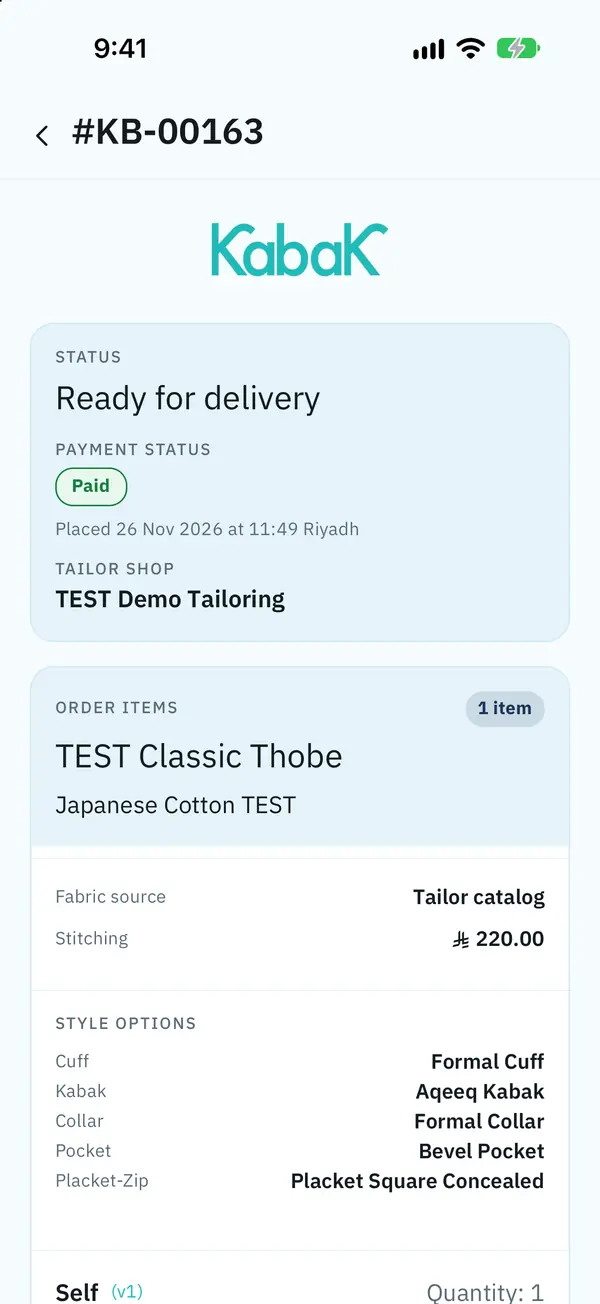
Step 2
See the details
Open an order to see every stage, from Confirmed and In production to Delivered.
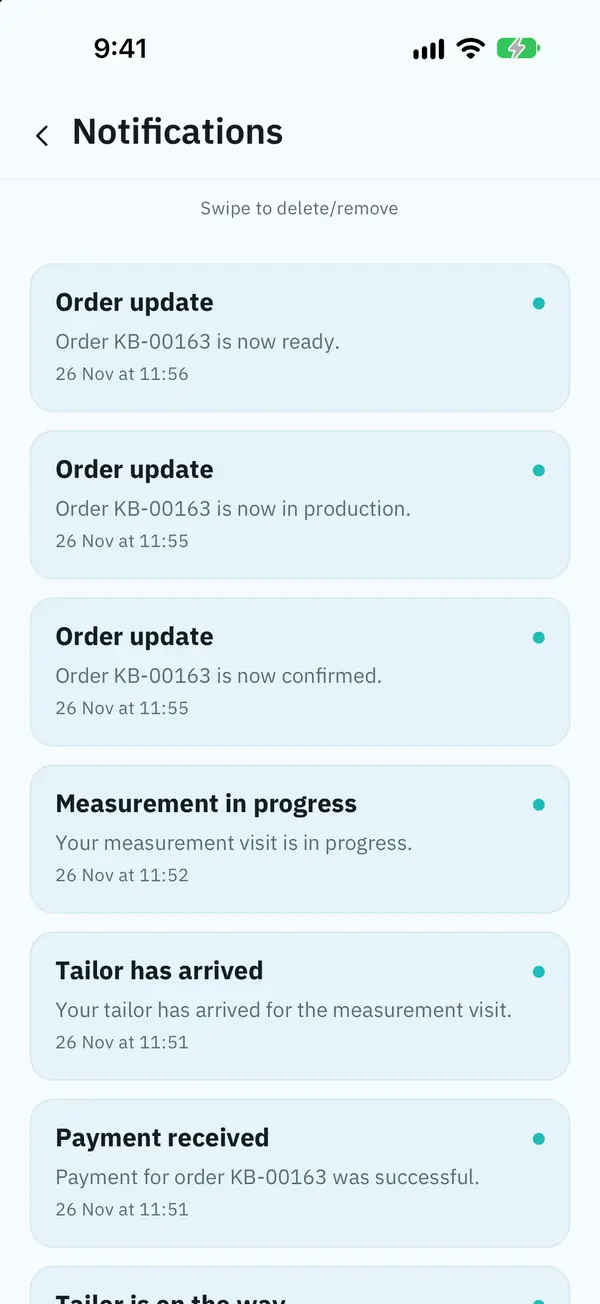
Step 3
Get notified
Kabak C tells you when the status changes, or when your tailor asks you to pick another fabric.
Addresses, profile and language
Keep your details up to date and use the app in Arabic or English.
Kabak C · 4 steps
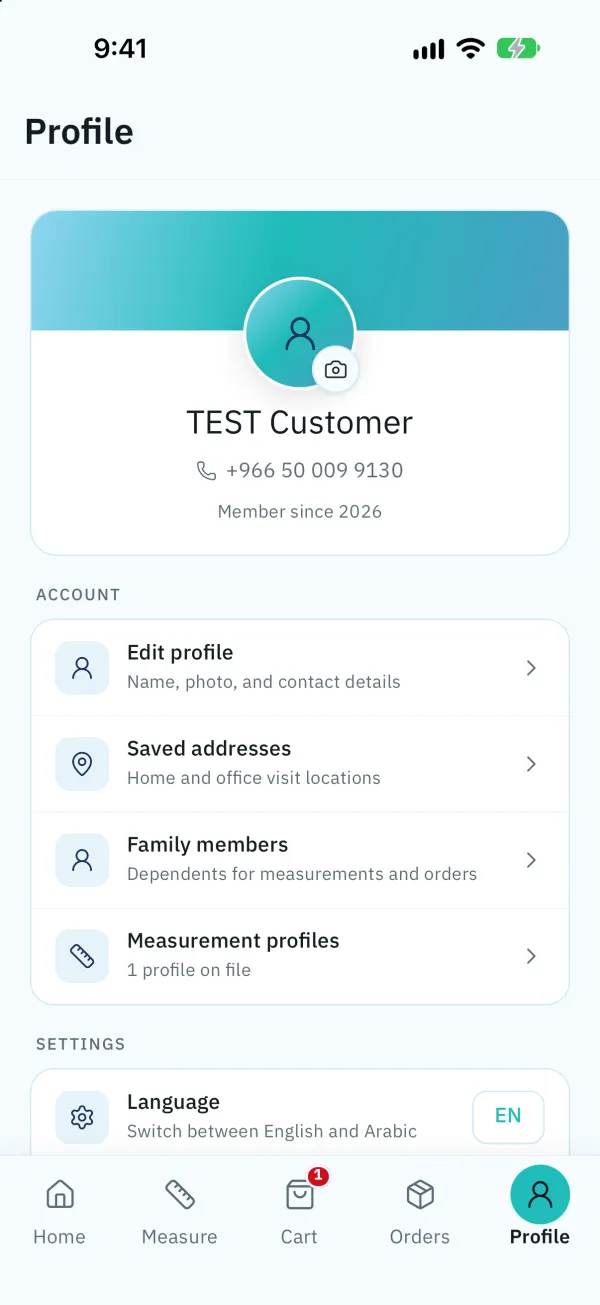
Step 1
Open Profile
The Profile tab holds your account, saved addresses, family members and settings.
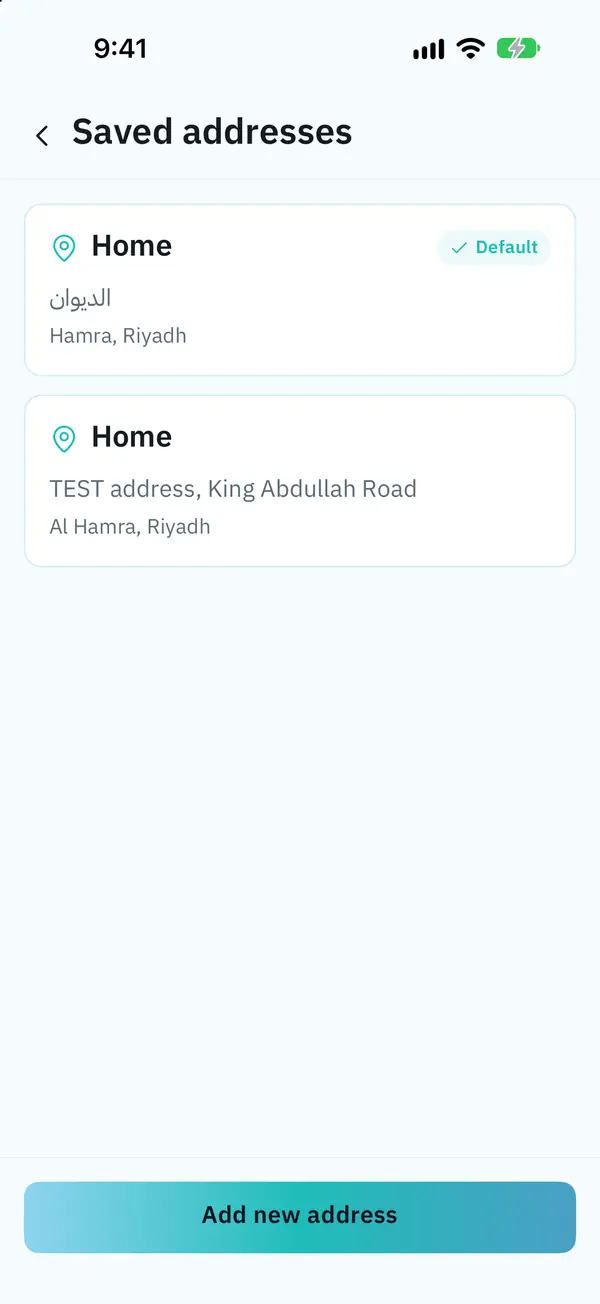
Step 2
Save your addresses
Add your home or work address once, then pick it when you book a visit or check out.
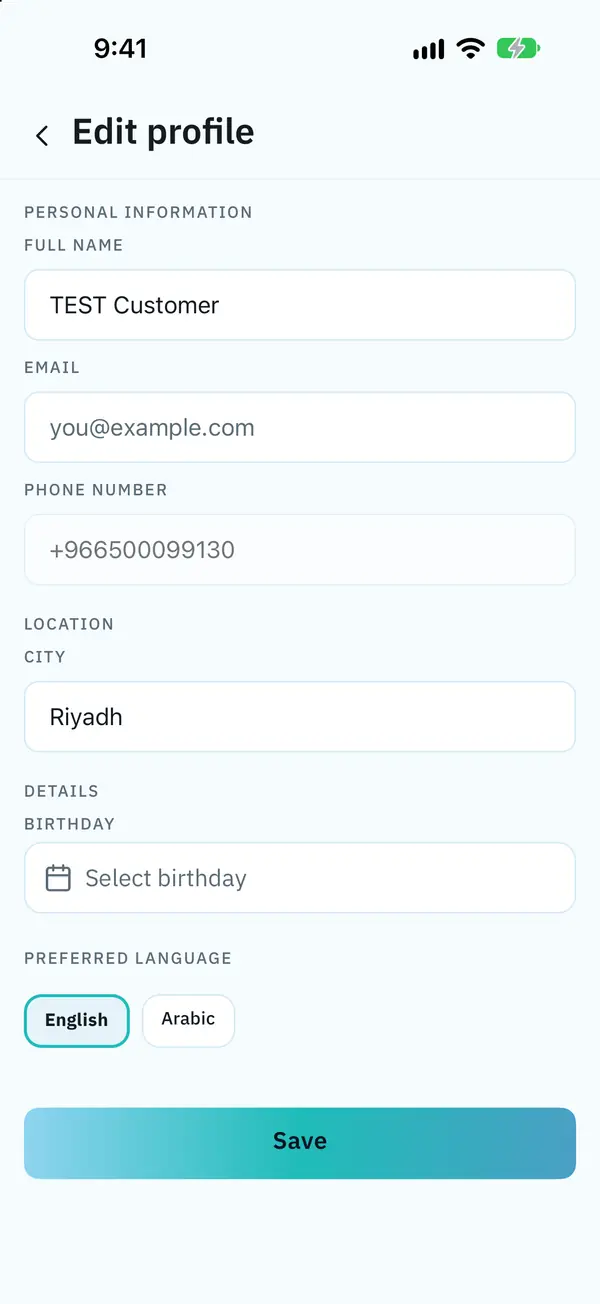
Step 3
Edit your profile
Update your name and your other details at any time.
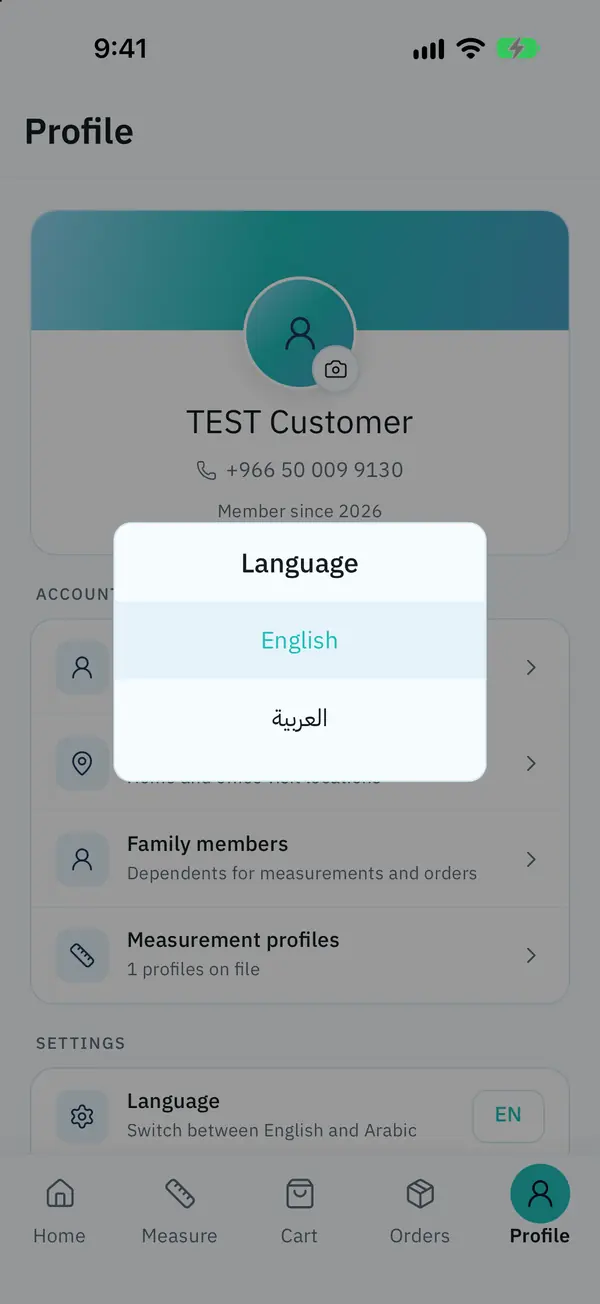
Step 4
Change the language
Under Settings, tap Language and choose العربية or English. The app switches right away.
Don't have the app yet?
Kabak C and Kabak T are free to download on iPhone and Android.